✈️
Built by someone who flies
An active GOL purser. Every screen came from a real rostering problem, not from a product meeting. Behind it, a Bachelor of Information Systems from Uninove.


✈️ Built by crew, for crew
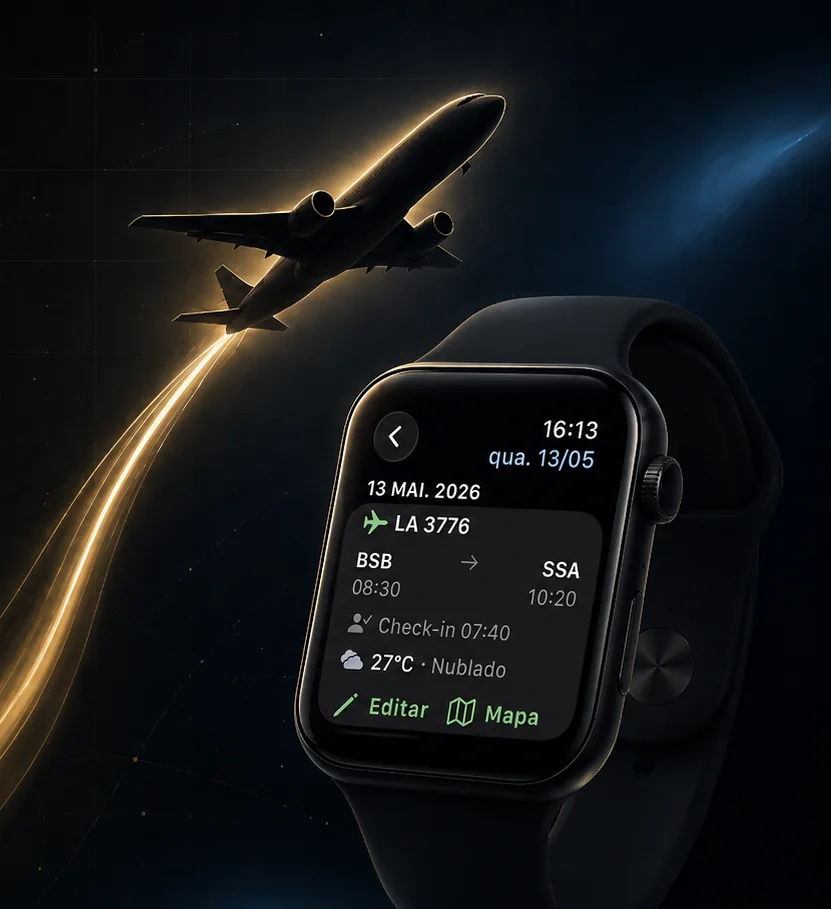
The complete crew assistant: roster imported straight from your airline’s system in one tap, per diems calculated automatically, RBAC 117 rest, aviation weather and your roster on your wrist — Apple Watch, Wear OS and Garmin.
Over 400 ratings · Over 3,000 crew members on board
Why CrewSync
An active GOL purser. Every screen came from a real rostering problem, not from a product meeting. Behind it, a Bachelor of Information Systems from Uninove.
Per diems, flight hours, night premium and Sunday/holiday pay worked out from your own roster, before the payslip lands. Every line was checked against a real payslip, to the cent, at GOL and LATAM.
The gate the app shows is the one on the airport board, with the destination weather right next to it.
METAR, TAF, SIGMET, SIGWX and NOTAM come from REDEMET and AISWEB. No data without a source.
Visitor mode: your family follows your roster and, if you allow it, adds events to your calendar. Connections: see whether a crew friend is in the same city, on the same flight or off on the same days.
The person answering support is the person who wrote the code. Updates are routine, not an event.
The salary estimator is an estimate for cross-checking, not a proof of payment.
Supported airlines
| Airline | Automatic import (official sign-in) | PDF import | Extras |
|---|---|---|---|
| GOL | ✅ IADP (NetLine/Crew — same backend as the official app) | ✅ PDF from CrewLink, corporate e-mail or the official app | In-app check-in, flight crew lookup (Show Crew), qualifications (CMA, XQ, EPI…), hotel info with pickup time (CrewConneX), meal/catering plan, in-app pay envelope (Meu RH), salary estimator, aircraft registration, notification alerts |
| LATAM | ✅ iFlight Crew (official IBS portal) | ✅ PDF exported by iFlight Crew Mobile | Hotel + airport pickup times (Crew Care API), aircraft registration, actual times, qualifications, notification alerts |
| AZUL | ✅ CAE Crew Access (official portal) | ✅ PDF exported from the CAE web portal (cae.voeazul.com.br) | Overnights with hotel and transport pickup time, flight crew, aircraft registration, qualifications |
| ABX Air 🇺🇸 | ✅ IADP (one tap, no PDF) | — | Fully English app (phone and Garmin watch), imperial units, NOAA weather (PIREPs, G-AIRMET, Winds Aloft) |
Feature availability may vary by platform (Android/iOS), airline and country.
You sign in once on your airline’s official portal (inside the app, on the official domain — your password never passes through CrewSync) and that’s it: your roster imports straight from the source, re-syncing when you open the app or pull down to refresh.
When importing via sign-in (IADP, CAE or iFlight), flight times always come in each airport’s local time — the standard in airlines’ official systems. This may differ from your PDF, which can be set to your base’s time zone depending on your crew portal settings. It’s not a bug: it’s the same time shown in your company’s portal.
Today CrewSync supports the NetLine/CrewLink (IADP), iFlight Crew and CAE/SABRE systems. Want the app to support your airline? Write to me with: airline, country, which system you use (with the link and/or app where the roster comes from) and, if possible, attach a flight roster. I’ll study the case — each new airline has to be adapted individually.
Features
Compatibility
Android
10 or later
Wear OS
4 or later (Samsung Galaxy Watch 4+, Google Pixel Watch, etc.)
iPhone
iOS 17 or later
Apple Watch
watchOS 10 or later
Garmin
Connect IQ (fēnix, Forerunner, epix, Venu and more)
Alexa
any Echo device or the Alexa app (skill in English and Portuguese)
Premium
Advanced features — Apple Watch/Wear OS, per diems, connections, RBAC 117, advanced statistics, ad-free and more — are part of CrewSync Premium:
Monthly
See price in the store
Recurring subscription
Annual
See price in the store
Best value · save vs. monthly
Lifetime
See price in the store
One-time payment, no renewal
🎁 7-day free trial (subscriptions, on iPhone).
Pricing varies by country and is set by the App Store and Google Play — the current localized price is always shown right inside the app at checkout.
👉 Download the app to see your local price and subscribe in Settings → Premium Plans
Need a hand?
The official CrewSync help center has its own page — roster import per airline, CrewLink, smartwatch, account & backup, Premium & payments, FAQ and support contact.
Open the help center →
Download CrewSync for free and import your roster in one tap.
CrewSync is an independent app and is not affiliated with, sponsored by, or operated by any airline. The official roster is always the one in your company’s system. Some features may not be available for certain airlines and/or countries.